2026
SaaS Development & UX/UI Engineering for a Lead Booking Platform
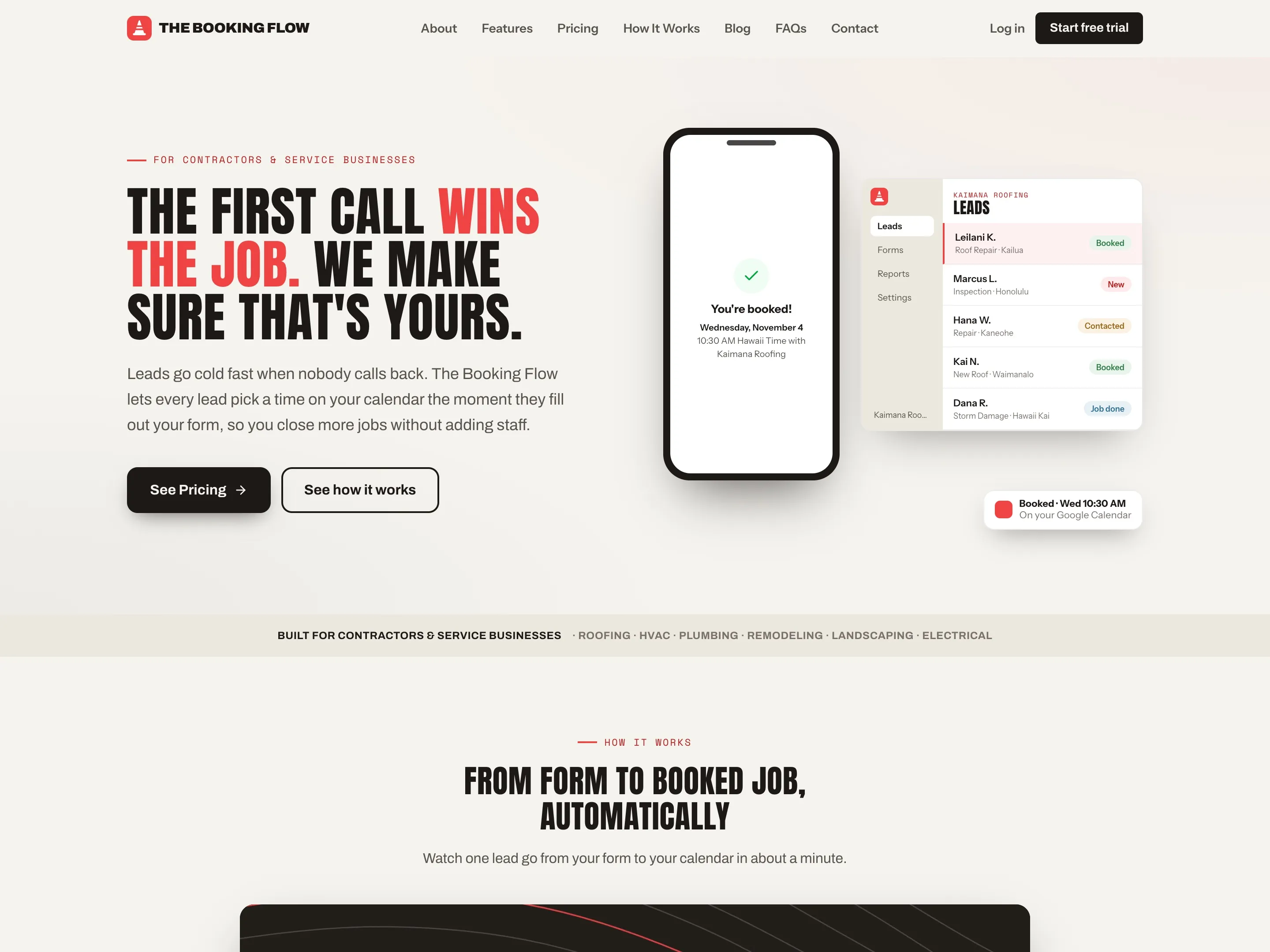
The homepage, with the booked lead on a phone beside the Leads dashboard.
thebookingflow.com
At a glance
- Client
- The Booking Flow
- Role
- Founder, Designer & Engineer
- Year
- 2026
- Stack
- Astro
- React
- Supabase
- Netlify Functions
- Stripe
- Resend
- n8n
- Google Calendar
- Zod
- Vitest
- Claude Code
- Codex
- Result
- Live at thebookingflow.com with 819 automated tests passing and a security gate on every commit. It has no customers yet, so this case study is about how it is built.
Overview
The Booking Flow is my own software for contractors and service businesses: roofers, HVAC and electrical crews, plumbers and general contractors. A business puts its lead form on its website, and from there the product does the work a busy owner never gets to. It replies to the lead the moment they ask, lets them book an estimate on the business's own calendar, sends the confirmation emails, follows up when they go quiet and keeps every lead in one dashboard.
I own all of it. I designed the brand and the interface, wrote the code, set up the billing and the email, and I run it now that it is live.
I designed it, built it, and I run it.
The challenge
A lead who fills out a form at 9:47 PM usually hears nothing until the next morning, and by then they have often called someone else. Owners of trades businesses are on a roof or under a sink all day, so the reply, the scheduling and the follow-up are the jobs that slip.
The product had to cover all of that without asking anything technical of the owner. It also handles other people's customers, calendars and payments, so I built it the way I would expect an enterprise product to be built, with tests and security checks on every change.
The approach
I built The Booking Flow on Astro and React, with a Supabase database, serverless functions on Netlify, Stripe for billing, Resend for email and n8n for the timed follow-ups. I also made the explainer for it, which follows one lead from her 9:47 PM request to her booked estimate, and every screen and email in it is rebuilt from the product's own code and templates. The step stills come from the same film, and the dashboard shows sample data.
The explainer
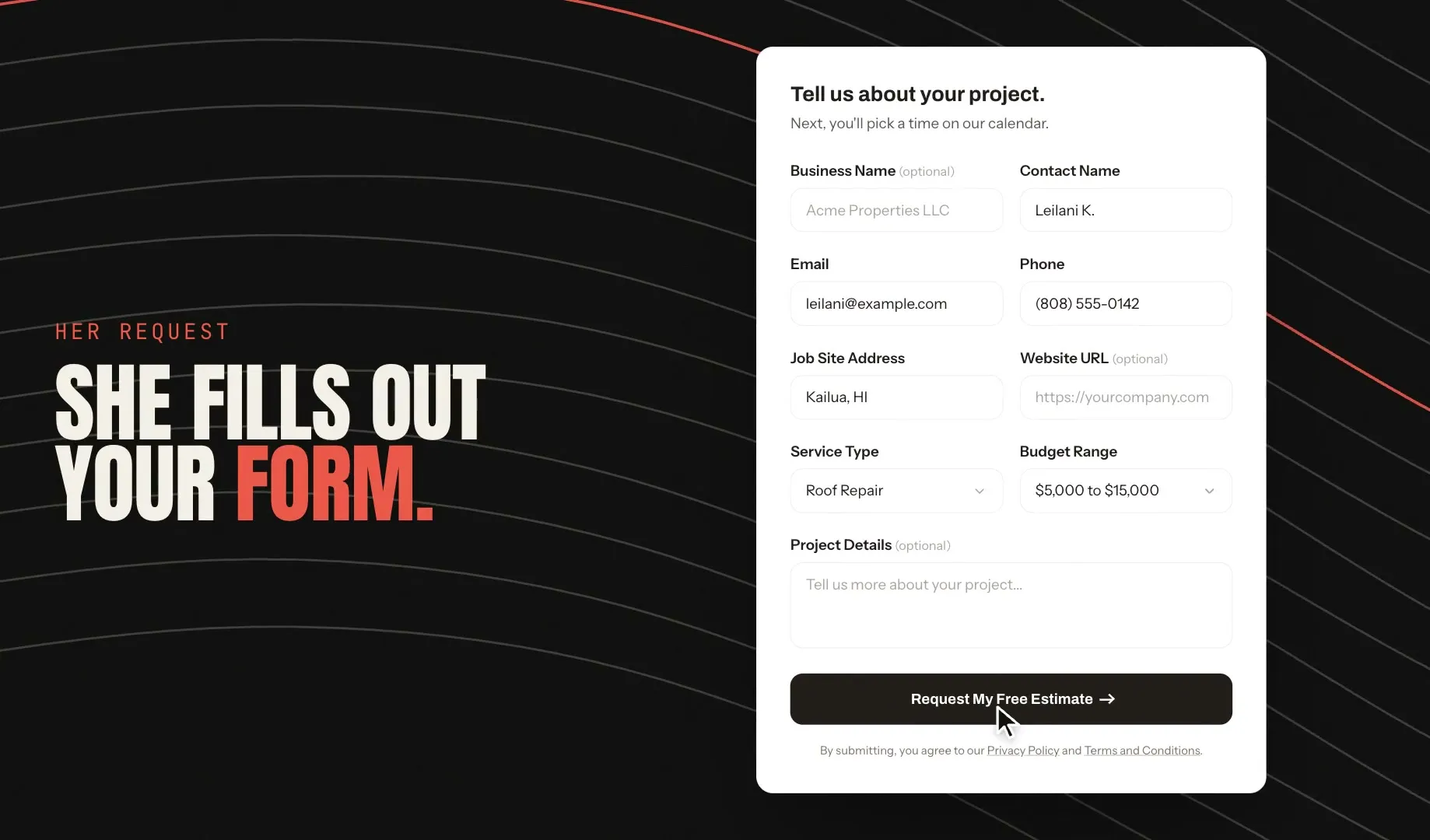
A form that qualifies the job
The lead gives the service, job address and budget range, under the business's name and logo. The form goes on any site with one snippet, or out as a link.
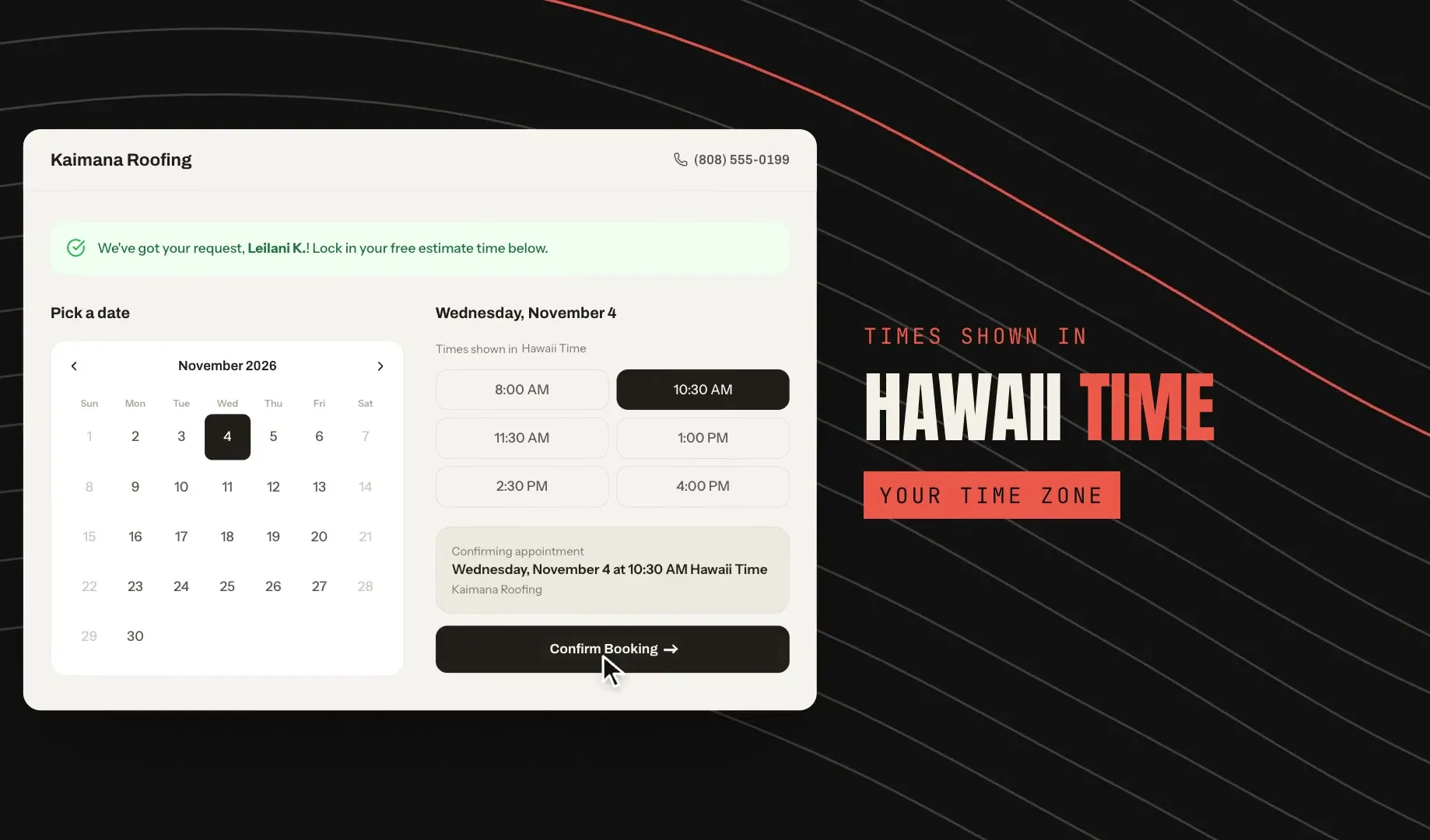
Booked on the business's calendar
The lead picks an open time read from the business's Google Calendar, shown in the business's own time zone.
Confirmed for both sides
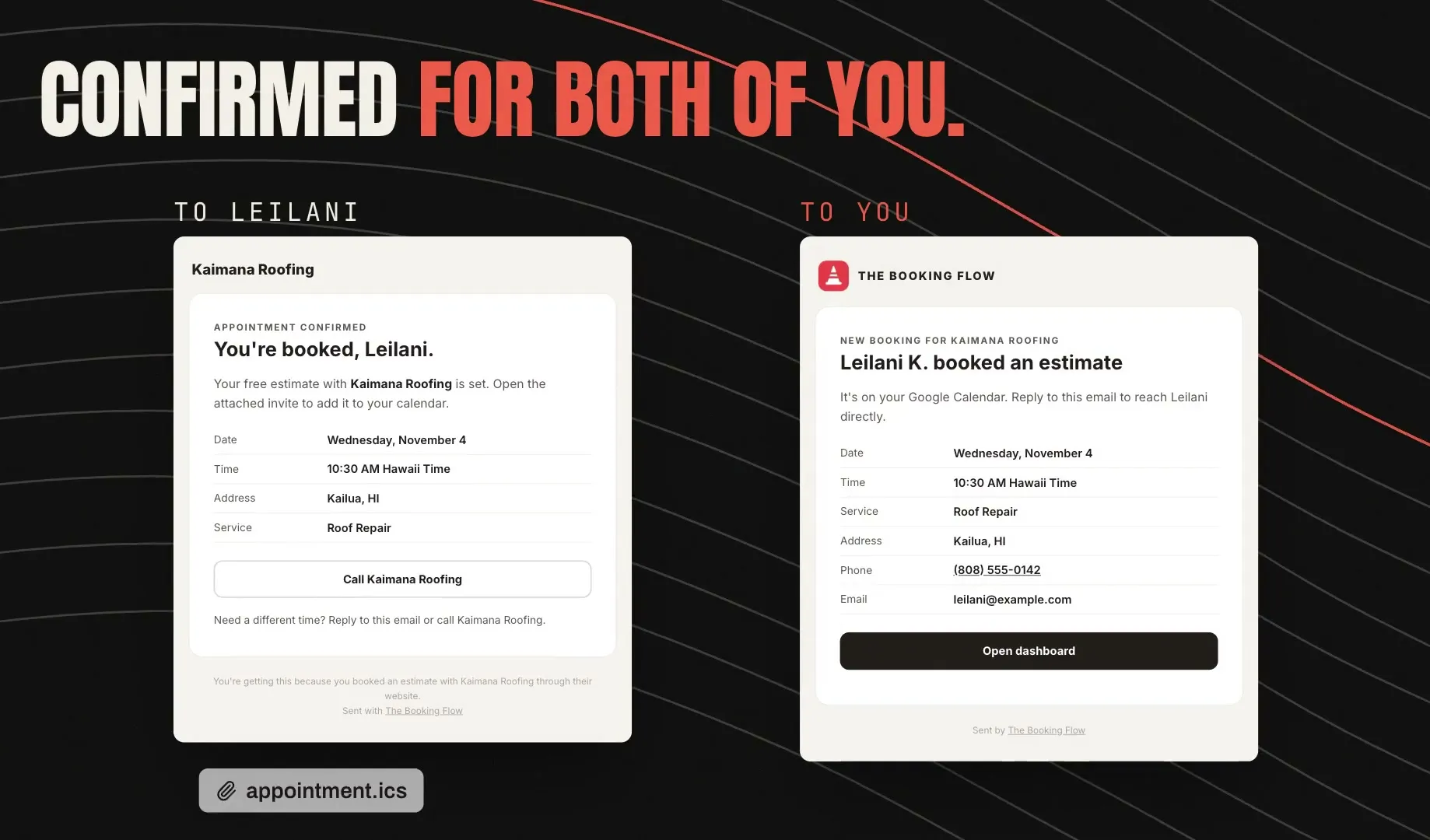
The lead gets a confirmation with a calendar invite, and the business gets the booking with the lead's details.
Every lead in one dashboard
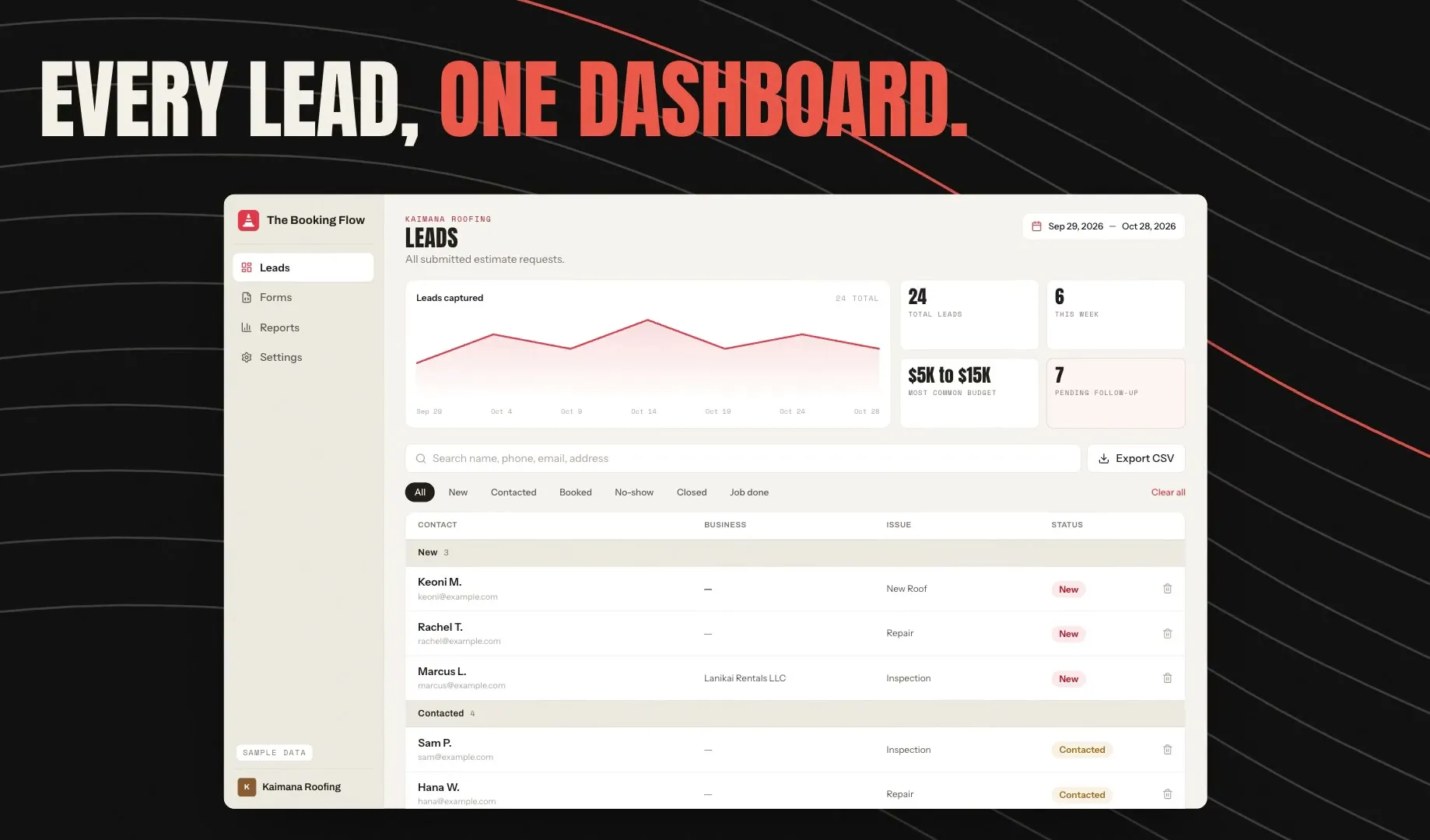
Owners see every lead and its status, with search, CSV export and a chart of leads captured. The figures here are sample data.
What the product does after the form:
- Replies at once. The lead gets an email in the business's name with a link to book, and the owner gets an alert by email, with Slack, Microsoft Teams or Discord if they use one.
- Follows up on its own. Three follow-up emails over seven days stop as soon as the lead books. A reminder goes out the day before, a "We missed you" email after a no-show, and one Google review request after the job is marked done.
- Tags where each lead came from. Owners can label leads by source, such as their website, Angi, Thumbtack or Google Local Services Ads, and see which ones turn into booked jobs.
- Bills and manages accounts. Stripe runs a 14-day free trial, the plans and the billing portal, and owners on the Pro plan can invite their team.
How I built it
With no customers yet, the way the software is built is the best proof of what I can do. I hold this product to the same rules I would hold an enterprise team to.
Test-driven development. Every change to the code starts with a test that fails, and git hooks refuse a commit that changes code without one. The suite has 819 tests in 104 files, and it runs before every commit and again on GitHub. The database rules are tested too, against a real Postgres engine running inside the test suite.
A security kit built on OWASP guidance. I built my own security kit and installed it in this product. It follows the OWASP Top 10 and the OWASP Application Security Verification Standard, plus NIST's guidance on sign-in limits and the OWASP cheat sheets for input validation, injection, cross-site scripting and access control. In practice that means:
- Every endpoint goes through one shared wrapper that checks the request against a strict schema, with a length limit on every field, and applies a rate limit.
- Every webhook proves where it came from: Stripe's signature, or a shared secret compared in constant time.
- Every database table has row level security, and an access control matrix lists who can do what to each endpoint and table, deny by default, each row tied to the test that proves it.
- Secrets stay on the server. The kit blocks a key from reaching browser code, scans every commit and the git history for leaked secrets with Gitleaks and TruffleHog, scans the built site before it ships, and keeps a log of when each key was last rotated.
- Dependencies are audited on every push, and Semgrep scans the code against its OWASP Top 10 rules.
- Security headers come from one policy file, and a weekly job checks the live headers and the key rotation dates, then opens an issue when something is overdue.
These checks run on every commit and again on GitHub, so a change has to pass them before it reaches the live site.
The SEO and AEO content engine
Search engine optimization (SEO) gets a business found on Google. Answer engine optimization (AEO) gets it quoted when someone asks ChatGPT, Gemini or Google's AI Overviews a question. Both need a steady supply of useful articles, and most small businesses never have the hours to write them.
So I built an agentic workflow that does the writing: a set of AI agents that each do one job and hand the work to the next, with a script in charge of what each one can touch. It runs on my own blog three mornings a week and has published seven articles there since October 15, 2026. The voice comes from a long interview I did about how I talk and what I believe, so the articles sound like me on a call.
Research
A Claude session takes the next article from a topical map of keywords and the questions people ask. It reads the pages that already rank and checks every fact against a primary source.
Written for AI answers
Each article opens with a 40 to 60 word answer, and every heading is a question with a direct answer under it. Those are the lines answer engines lift and quote.
Images from a brief
The script hands the writer's brief to Codex, OpenAI's coding agent, which makes the images. The brief rules out faces, text and logos.
Edited into my voice
A fresh Claude session with no stake in the draft edits it against my brand voice, then runs my copywriting and humanizer skills. It throws out any image with AI mistakes.
Reviewed, then published
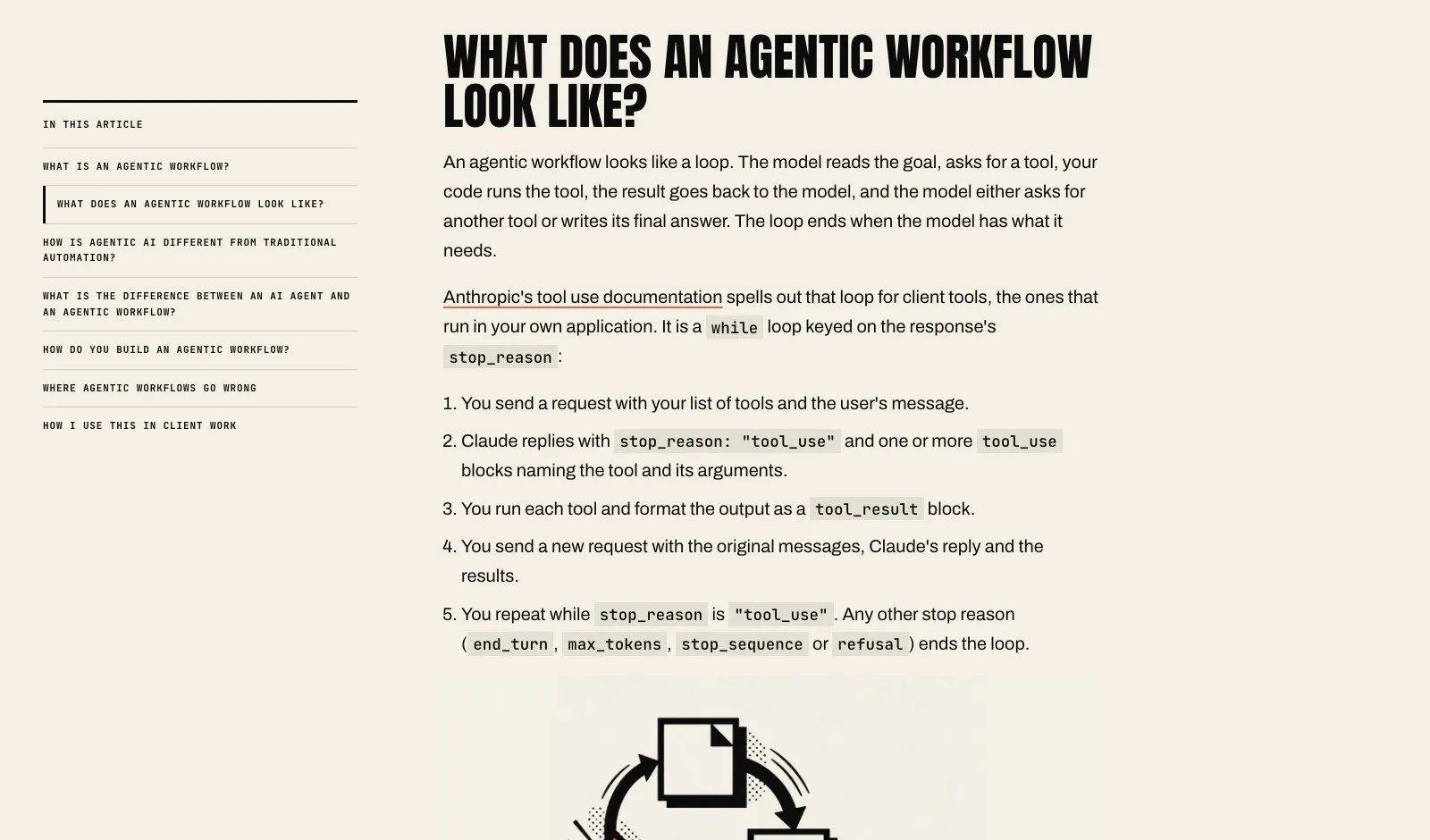
The script opens the article on GitHub for me, and nothing goes live until I read it on a preview and merge it. This one is Agentic workflows explained.
The rules live in code, so the AI can't talk its way out of them.
Tests fail an article with a dash, an emoji, a British spelling, a repeated phrase or a title that runs too long. The AI sessions can't push code or publish anything, so every step that reaches the outside world belongs to the script.
Rebuilt for The Booking Flow. The same engine now writes for roofers and HVAC owners on The Booking Flow's blog. I gave it a topical map of 68 articles from keyword research, a monthly research run, a glossary of trade terms and a file of product facts, so it can't invent a feature the product doesn't have. Its voice speaks as the company and comes from research into what those owners ask and trust. It's brand new, so the articles on my own blog are its track record for now.
If you run a business, this is the part worth stealing. A pipeline like this keeps researched articles coming in your voice, and the final call stays with you. If you want one dialed in for your business, check out my agentic workflow services.
The outcome
The Booking Flow is live at thebookingflow.com with a 14-day free trial. It does not have customers yet, so I have no customer results to show you, and I will add them here when I do. What I can show you is the build. Every step in the explainer above works in the product today, and the numbers below are about how it is made.
- Automated tests passing
- 819
- Endpoints and tables in the access control matrix, each with a test
- 15
- Known vulnerabilities in production dependencies
- 0